> ## Documentation Index
> Fetch the complete documentation index at: https://docs.evidentlyai.com/llms.txt
> Use this file to discover all available pages before exploring further.
# RAG evaluation dataset
> Synthetic data for RAG.
Retrieval-Augmented Generation (RAG) systems rely on retrieving answers from a knowledge base before generating responses. To evaluate them effectively, you need a test dataset that reflects what the system *should* know.
Instead of manually creating test cases, you can generate them directly from your knowledge source, ensuring accurate and relevant ground truth data.
## Create a RAG test dataset
You can generate ground truth RAG dataset from your data source.
### 1. Create a Project
In the Evidently UI, start a new Project or open an existing one.
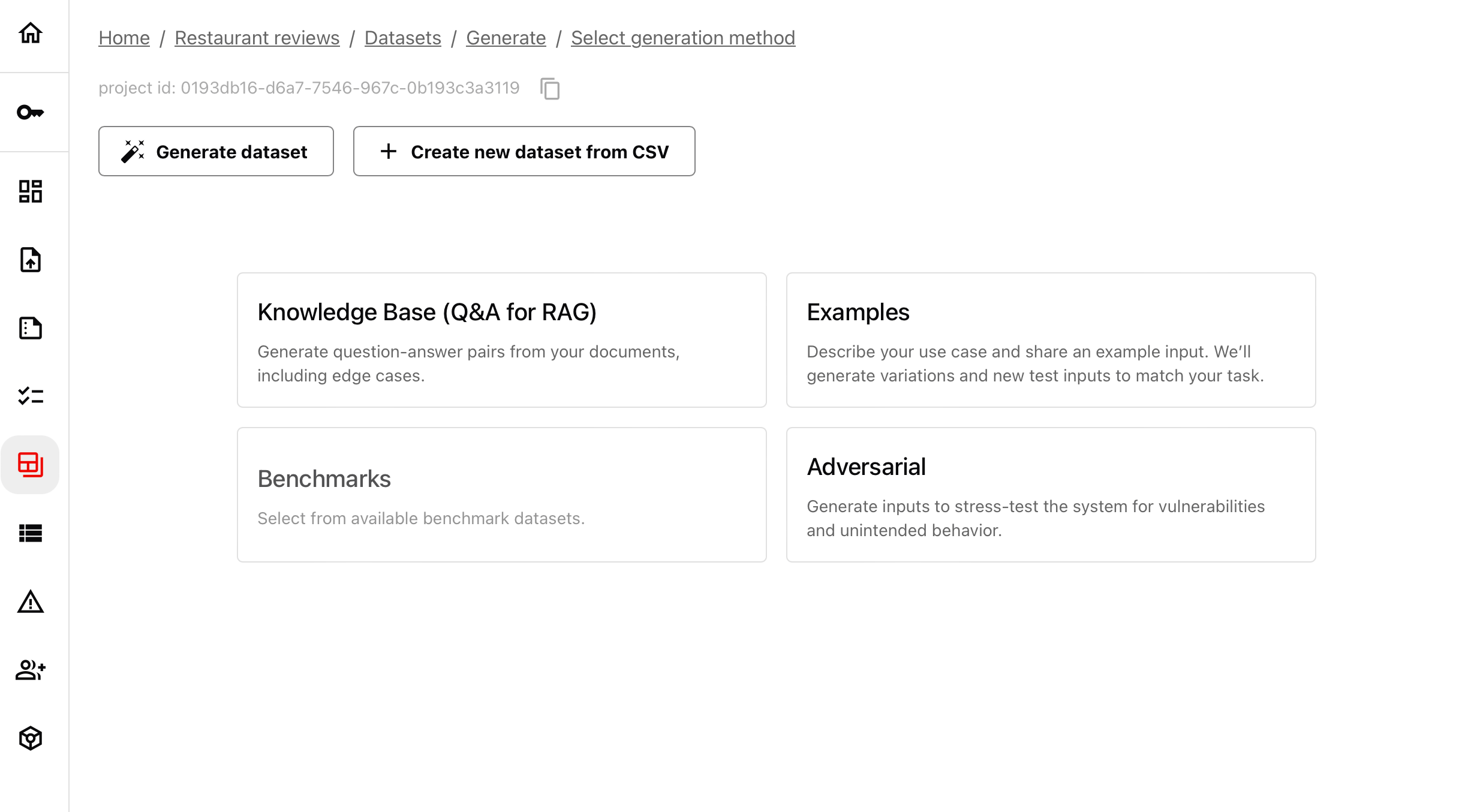
* Navigate to “Datasets” in the left menu.
* Click “Generate” and select the “RAG” option.
 ### 2. Upload your knowledge base
Select a file containing the information your AI system retrieves from. Supported formats: Markdown (.md), CSV, TXT, PDFs. Choose how many inputs to generate.
### 2. Upload your knowledge base
Select a file containing the information your AI system retrieves from. Supported formats: Markdown (.md), CSV, TXT, PDFs. Choose how many inputs to generate.
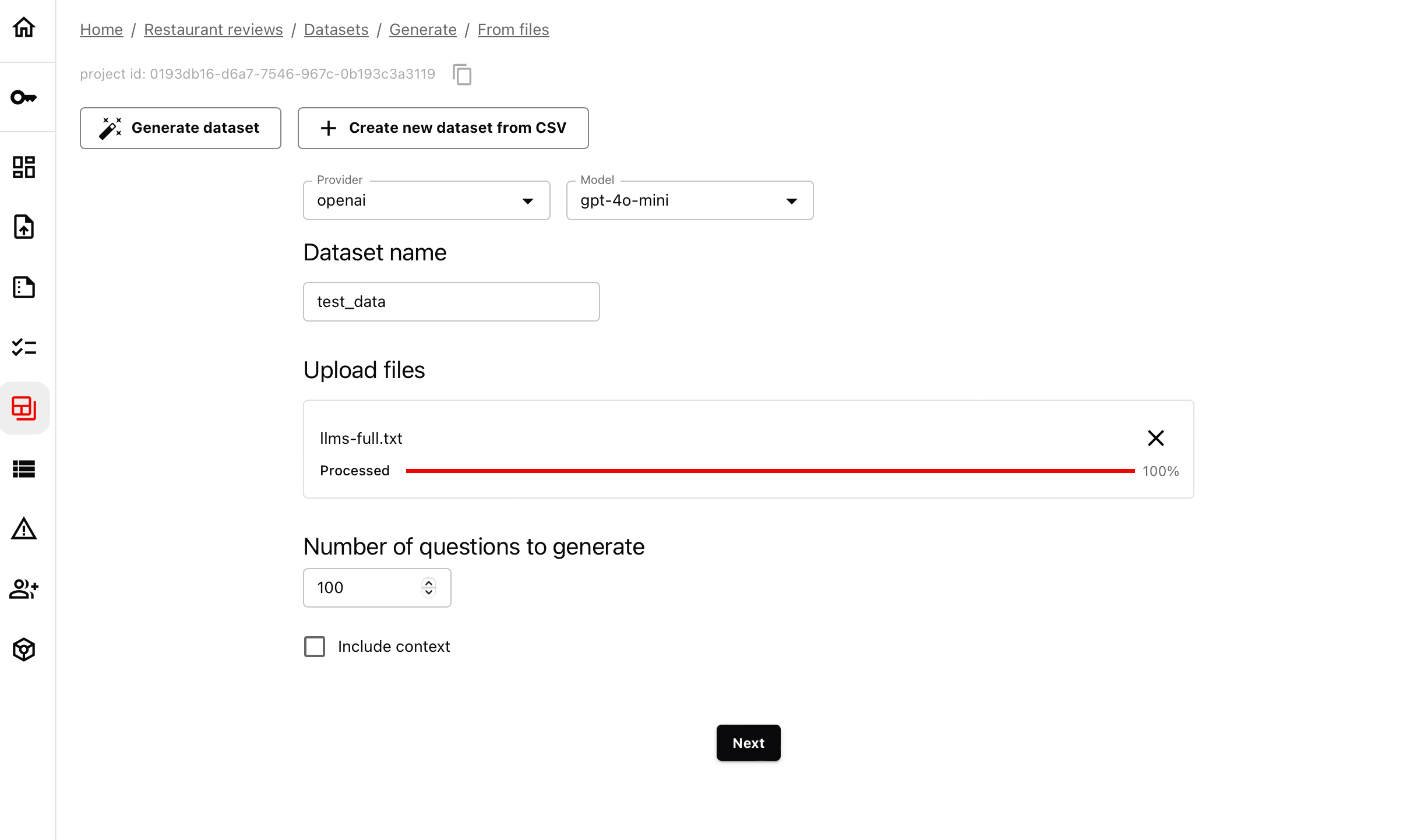
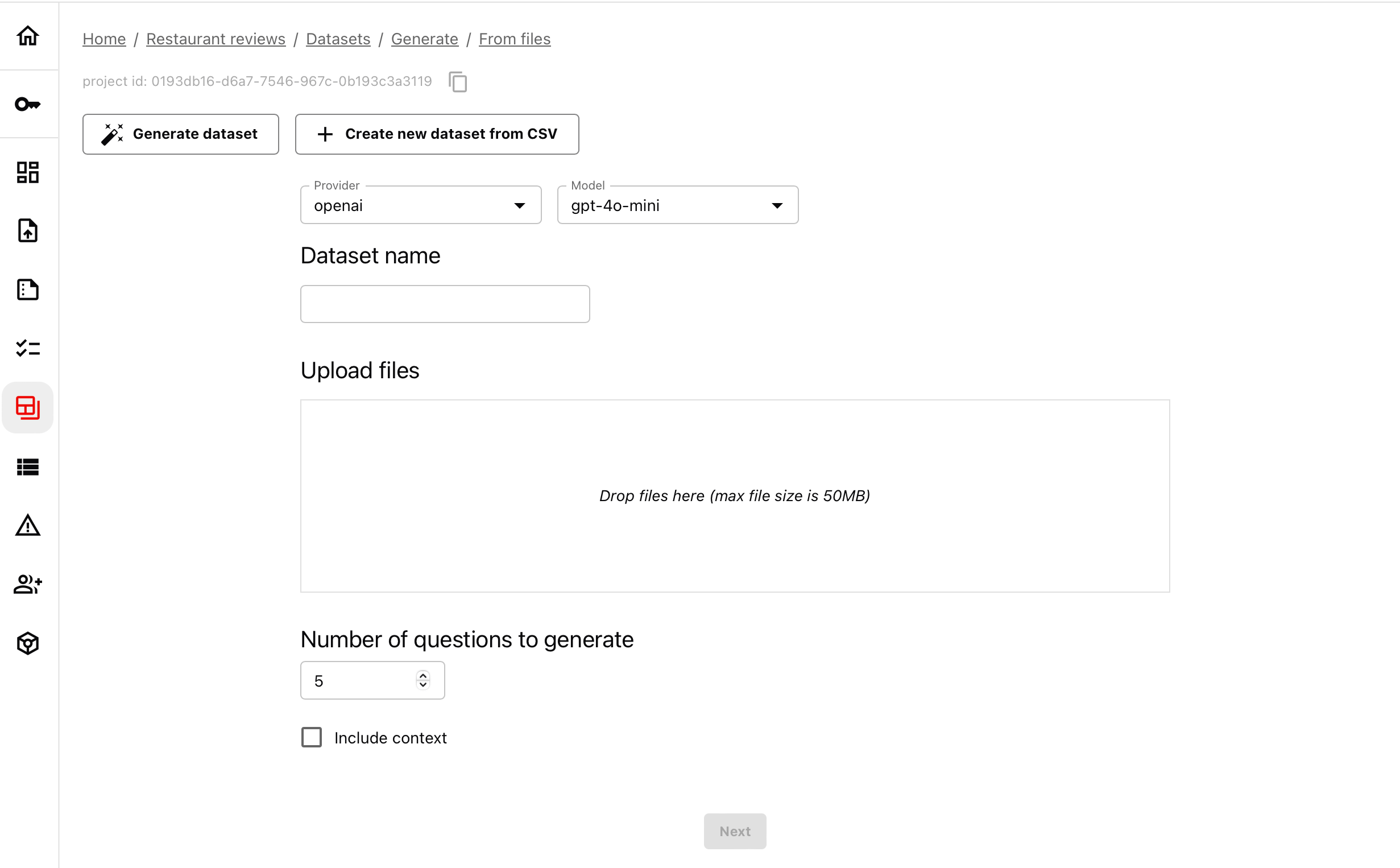 Simply drop the file, then:
* Choose the number of inputs to generate.
* Choose if you want to include the context used to generate the answer.
Simply drop the file, then:
* Choose the number of inputs to generate.
* Choose if you want to include the context used to generate the answer.
 The system automatically extracts relevant facts and generates user-like questions to your data source with ground truth answers.
Note that it may take some time to process the dataset. Limits apply on the free plan.
### 3. Review the test cases
You can preview and refine the generated dataset.
The system automatically extracts relevant facts and generates user-like questions to your data source with ground truth answers.
Note that it may take some time to process the dataset. Limits apply on the free plan.
### 3. Review the test cases
You can preview and refine the generated dataset.
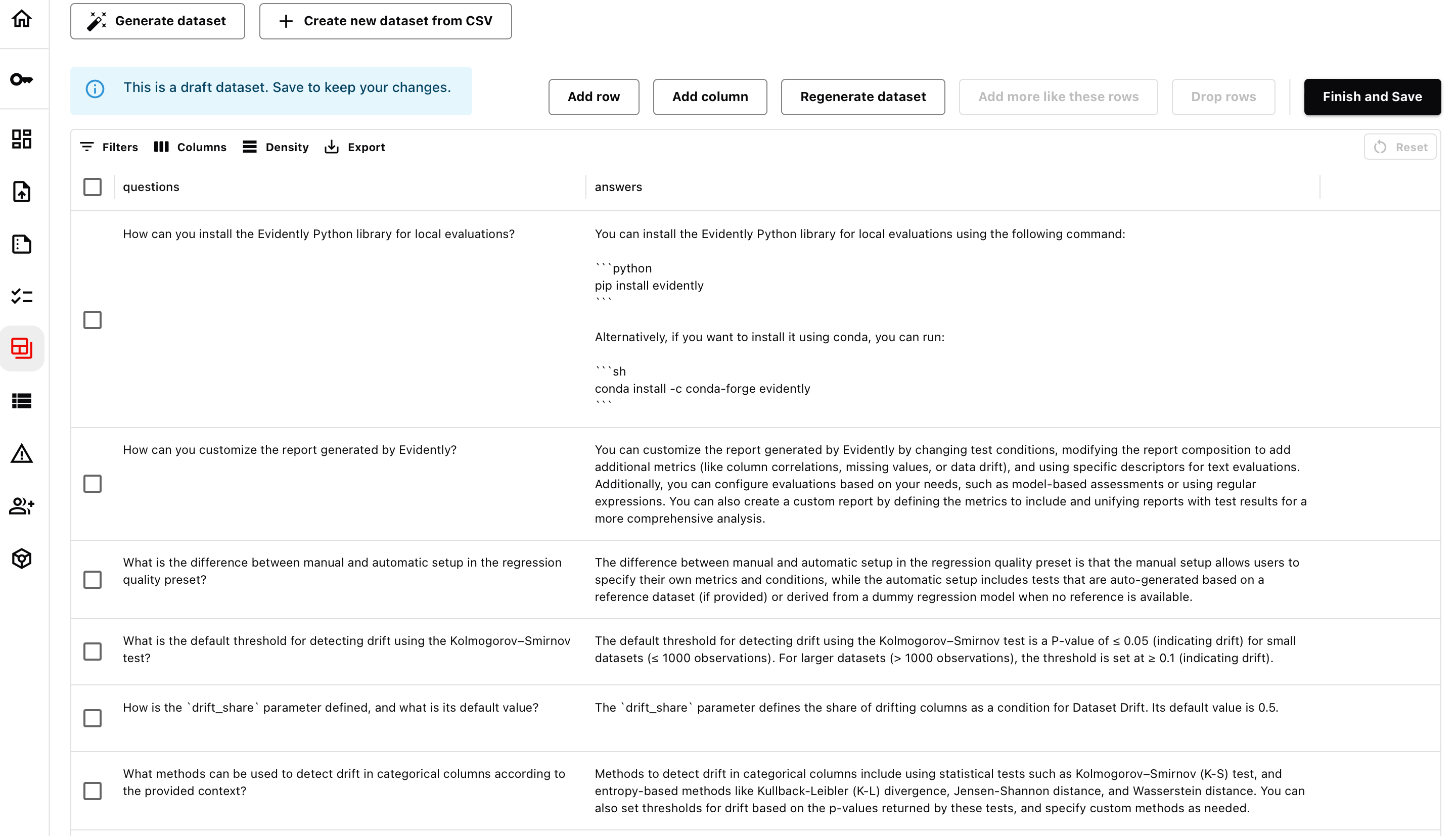 You can:
* Use “More like this” to add more variations.
* Drop rows that aren’t relevant.
* Manually edit questions or responses.
### 4. Save the Dataset
Once you are finished, store the dataset. You can download it as a CSV file or access it via the Python API using the dataset ID to use in your evaluation.
**Dataset API.** How to work with [Evidently datasets](/docs/platform/datasets_overview).
You can:
* Use “More like this” to add more variations.
* Drop rows that aren’t relevant.
* Manually edit questions or responses.
### 4. Save the Dataset
Once you are finished, store the dataset. You can download it as a CSV file or access it via the Python API using the dataset ID to use in your evaluation.
**Dataset API.** How to work with [Evidently datasets](/docs/platform/datasets_overview).