> ## Documentation Index
> Fetch the complete documentation index at: https://docs.evidentlyai.com/llms.txt
> Use this file to discover all available pages before exploring further.
# Synthetic data
> Generating test cases and datasets.
This feature is available in Evidently Cloud. Check [pricing](https://www.evidentlyai.com/pricing) details. [Reach out](https://www.evidentlyai.com/get-demo) if you’d like a demo.
Evidently Cloud lets you generate synthetic test inputs (and outputs) to evaluate your AI system. You can use it for:
* **Experiments**. Create test data to see how your LLM app handles it.
* **Regression testing**. Validate changes before deployment.
* **Adversarial testing**. Check how your system handles tricky or unexpected inputs.
Once you generate the data, you can run it through your AI system and evaluate the results using the Evidently Cloud or Evidently Python library as usual.
Generate inputs from description.
Generate Q\&A dataset from the knowledge source.
Generate inputs to test for vulnerabilities.
## Example
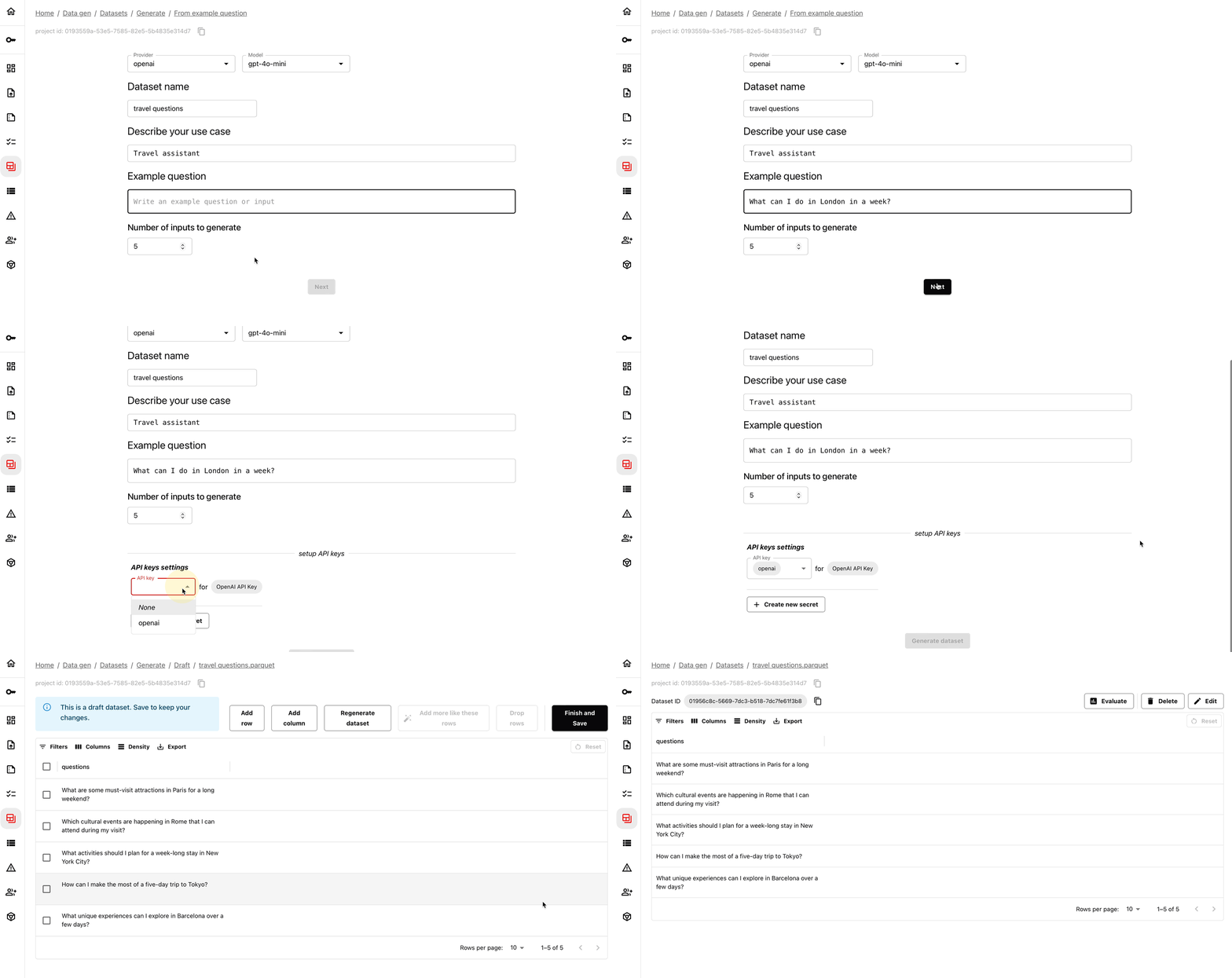
For example, here is how you can generate test inputs.