> ## Documentation Index
> Fetch the complete documentation index at: https://docs.evidentlyai.com/llms.txt
> Use this file to discover all available pages before exploring further.
# Regression
> Overview of the Regression Quality Preset
**Pre-requisites**:
* You know how to use [Data Definition ](/docs/library/data_definition)to prepare the data.
* You know how to create [Reports](/docs/library/report).
**Report.** To run a Preset on your data for a single current dataset:
```python theme={null}
report = Report([
RegressionPreset(),
])
my_eval = report.run(current, None)
```
**Test Suite**. To add pass/fail regression quality Tests, auto-generated from the `ref` dataset:
```python theme={null}
report = Report([
RegressionPreset(),
],
include_tests=True)
my_eval = report.run(current, ref)
```
## Overview
The `RegressionPreset` allows you to evaluate and visualize the performance on regression tasks. You can run this Report either for a single dataset or compare it against a reference dataset (such as past performance, or a different model/prompt).
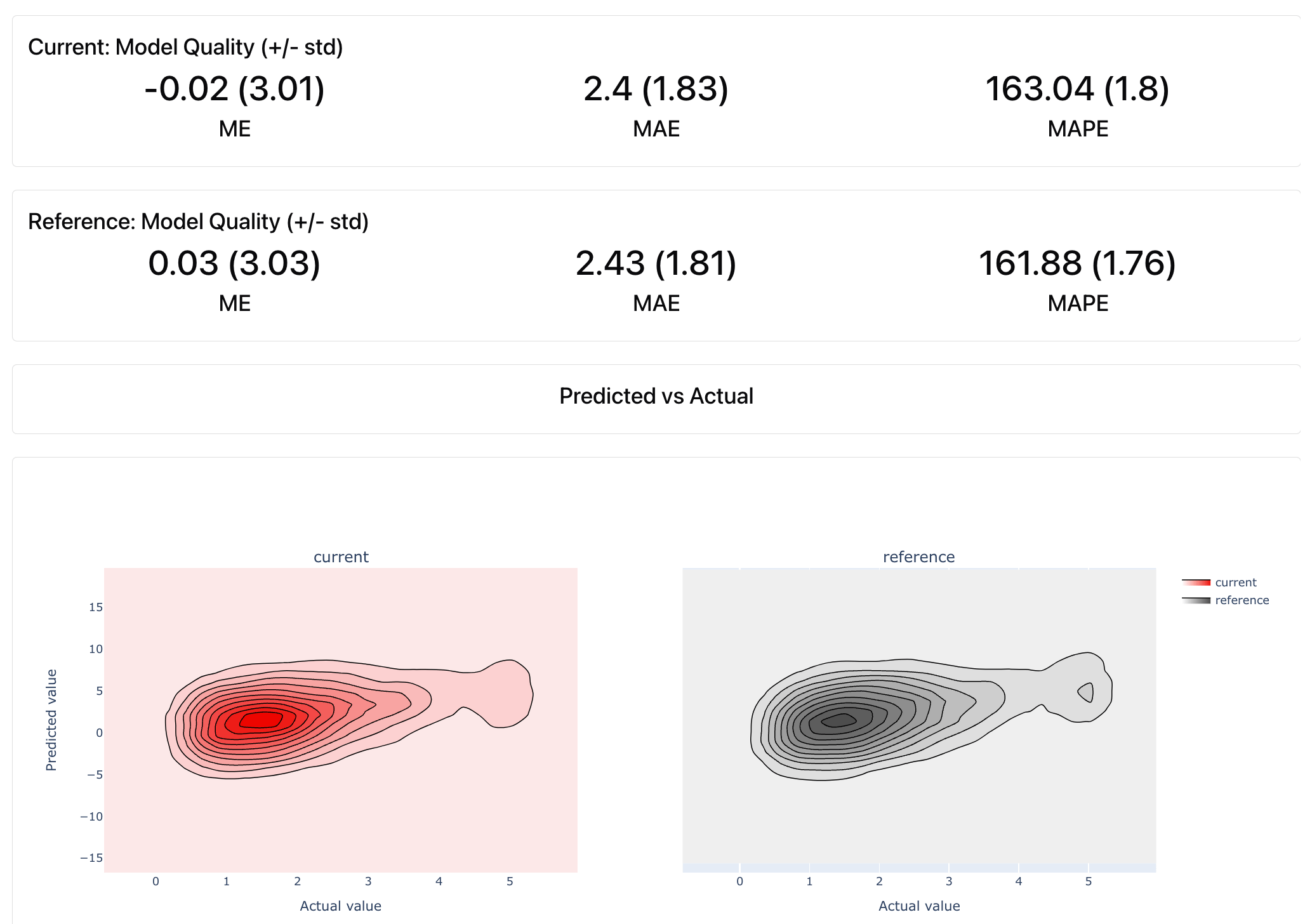 The Report includes:
* **Various metrics**: Mean Absolute Error (MAE), Mean Squared Error (MSE), Root Mean Squared Error (RMSE), etc.
* **Various visualizations:** Actual vs Predicted Plot, Error Distribution, Error Normality, etc.
**Test Suite**. If you enable Tests, this will automatically run checks to assess if the model performance metrics are within bounds.
The Report includes:
* **Various metrics**: Mean Absolute Error (MAE), Mean Squared Error (MSE), Root Mean Squared Error (RMSE), etc.
* **Various visualizations:** Actual vs Predicted Plot, Error Distribution, Error Normality, etc.
**Test Suite**. If you enable Tests, this will automatically run checks to assess if the model performance metrics are within bounds.
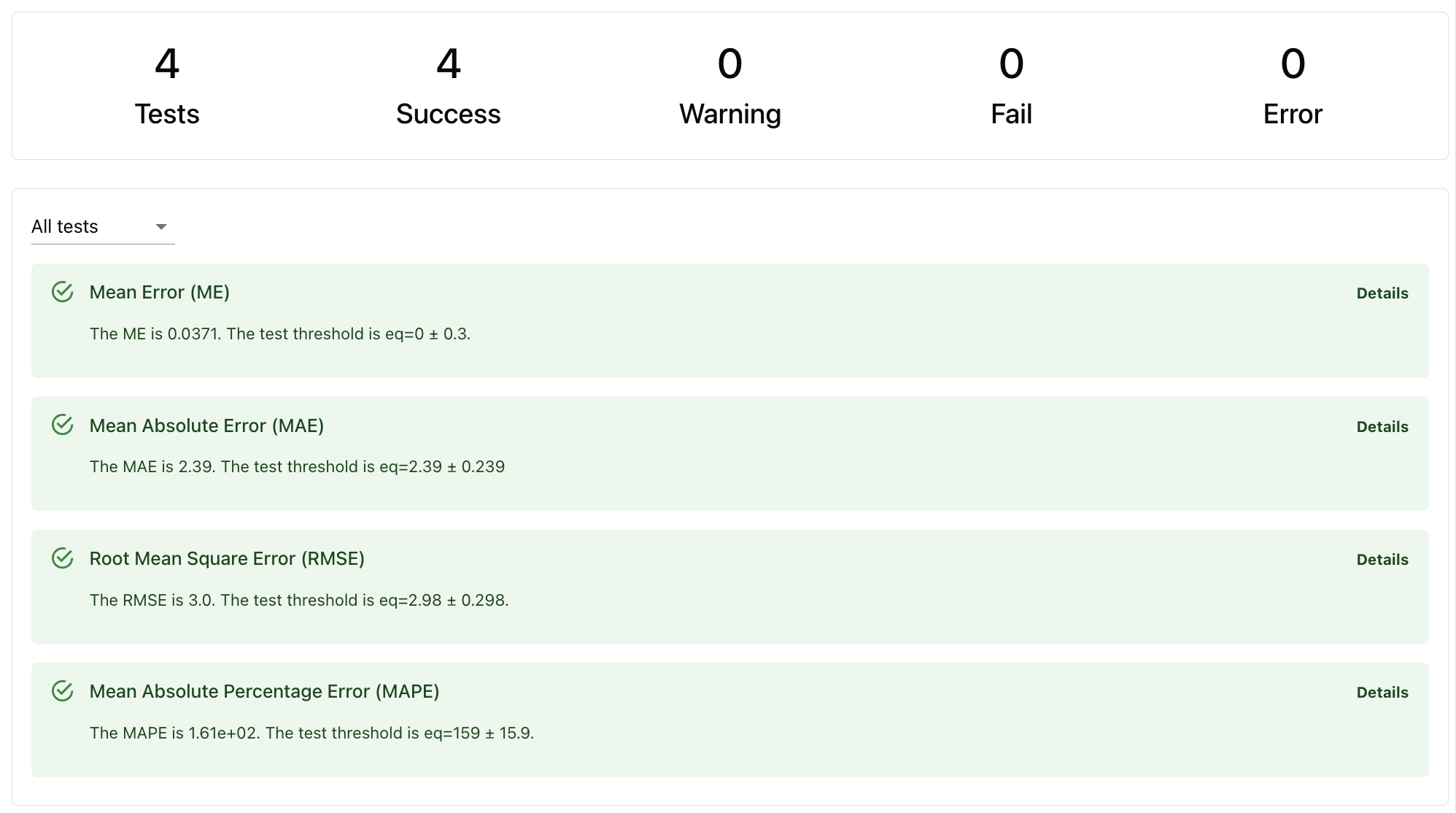 Tests are auto-generated:
* **Based on reference dataset**. If the reference dataset is provided, conditions like expected prediction accuracy will be derived from it.
* **Based on heuristics**. If there is no reference, Evidently will create a dummy regression model as a baseline and run checks against it.
**How Tests work.** Read about [Tests](/docs/library/tests) and check defaults for each Test in the [reference table](/metrics/all_metrics).
## Use case
These Presets are useful in various scenarios:
* **Model / system comparison**. Compare predictive system performance across different datasets, such as during A/B testing, when experimenting with model configurations and architectures, etc.
* **Production monitoring**. You can run evaluations whenever you get actual values in production. Use this to communicate and visualize performance, decide on model updates / retraining, etc.
* **Debugging**. If you notice a drop in performance, use the visual Report to check error distributions and explore model errors.
## Data requirements
* **Target and prediction columns**. Required to calculate performance.
* **One or two datasets**. Pass two for a side-by-side comparison or to auto-generate tests.
* (Optional) **Input features**. Include if you want to explore underperforming segments.
* (Optional) **Timestamp**. If available, pass it to appear on some plots.
**Data schema mapping.** Use the [data definition](/docs/library/data_definition) to map your input data.
## Report Customization
You can customize the Report in several ways:
* **Change Test conditions**. To modify the auto-generated conditions, you can set yours: either a different condition relative to the reference or any custom conditions.
* **Modify Report composition**. You can add additional metrics, such as column Correlations, Missing Values, or Data Drift. It's often useful to add `ValueDrift("target")` to evaluate if there is a statistical distribution shift in the model target (concept drift).
**Custom Report**. Check how to create a [Report](/docs/library/report) and add [Tests](/docs/library/tests) conditions.
Tests are auto-generated:
* **Based on reference dataset**. If the reference dataset is provided, conditions like expected prediction accuracy will be derived from it.
* **Based on heuristics**. If there is no reference, Evidently will create a dummy regression model as a baseline and run checks against it.
**How Tests work.** Read about [Tests](/docs/library/tests) and check defaults for each Test in the [reference table](/metrics/all_metrics).
## Use case
These Presets are useful in various scenarios:
* **Model / system comparison**. Compare predictive system performance across different datasets, such as during A/B testing, when experimenting with model configurations and architectures, etc.
* **Production monitoring**. You can run evaluations whenever you get actual values in production. Use this to communicate and visualize performance, decide on model updates / retraining, etc.
* **Debugging**. If you notice a drop in performance, use the visual Report to check error distributions and explore model errors.
## Data requirements
* **Target and prediction columns**. Required to calculate performance.
* **One or two datasets**. Pass two for a side-by-side comparison or to auto-generate tests.
* (Optional) **Input features**. Include if you want to explore underperforming segments.
* (Optional) **Timestamp**. If available, pass it to appear on some plots.
**Data schema mapping.** Use the [data definition](/docs/library/data_definition) to map your input data.
## Report Customization
You can customize the Report in several ways:
* **Change Test conditions**. To modify the auto-generated conditions, you can set yours: either a different condition relative to the reference or any custom conditions.
* **Modify Report composition**. You can add additional metrics, such as column Correlations, Missing Values, or Data Drift. It's often useful to add `ValueDrift("target")` to evaluate if there is a statistical distribution shift in the model target (concept drift).
**Custom Report**. Check how to create a [Report](/docs/library/report) and add [Tests](/docs/library/tests) conditions.